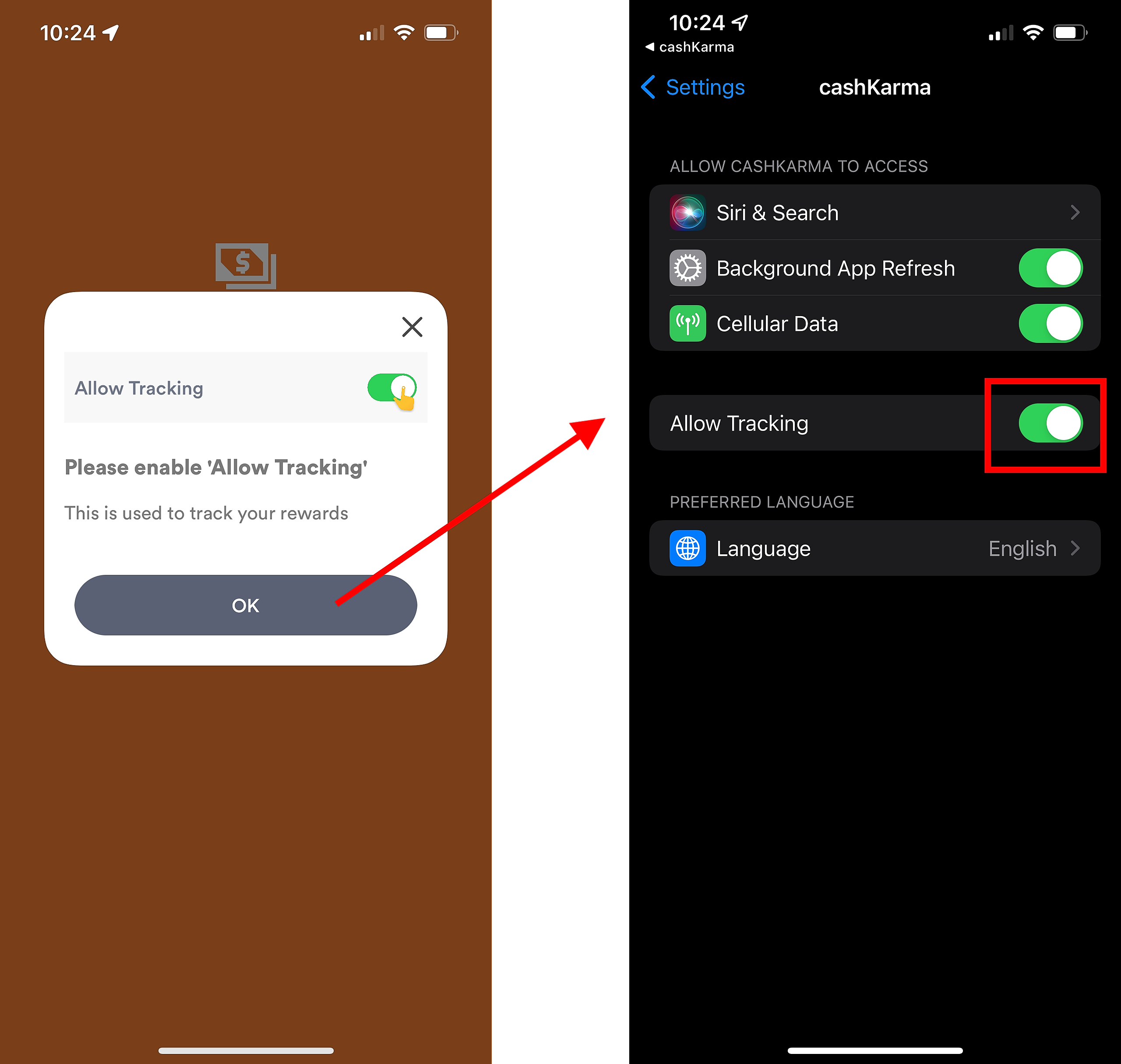
CashKarma uses the device ID (IDFA) to track rewards, provide more rewarded offers, and for fraud prevention purposes.
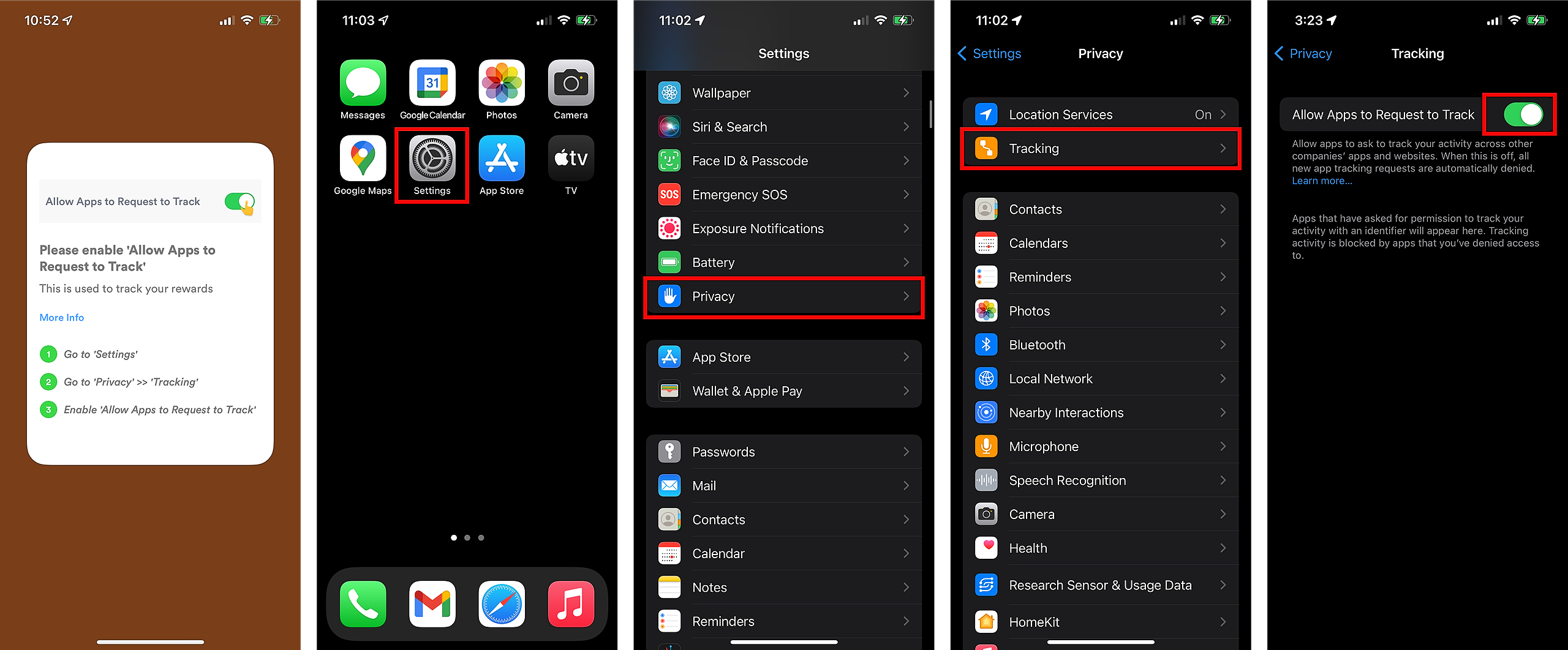
TO ENABLE: Go to Settings > Privacy > Tracking and turn on Allow Apps to Request to Track
STILL NOT WORKING?
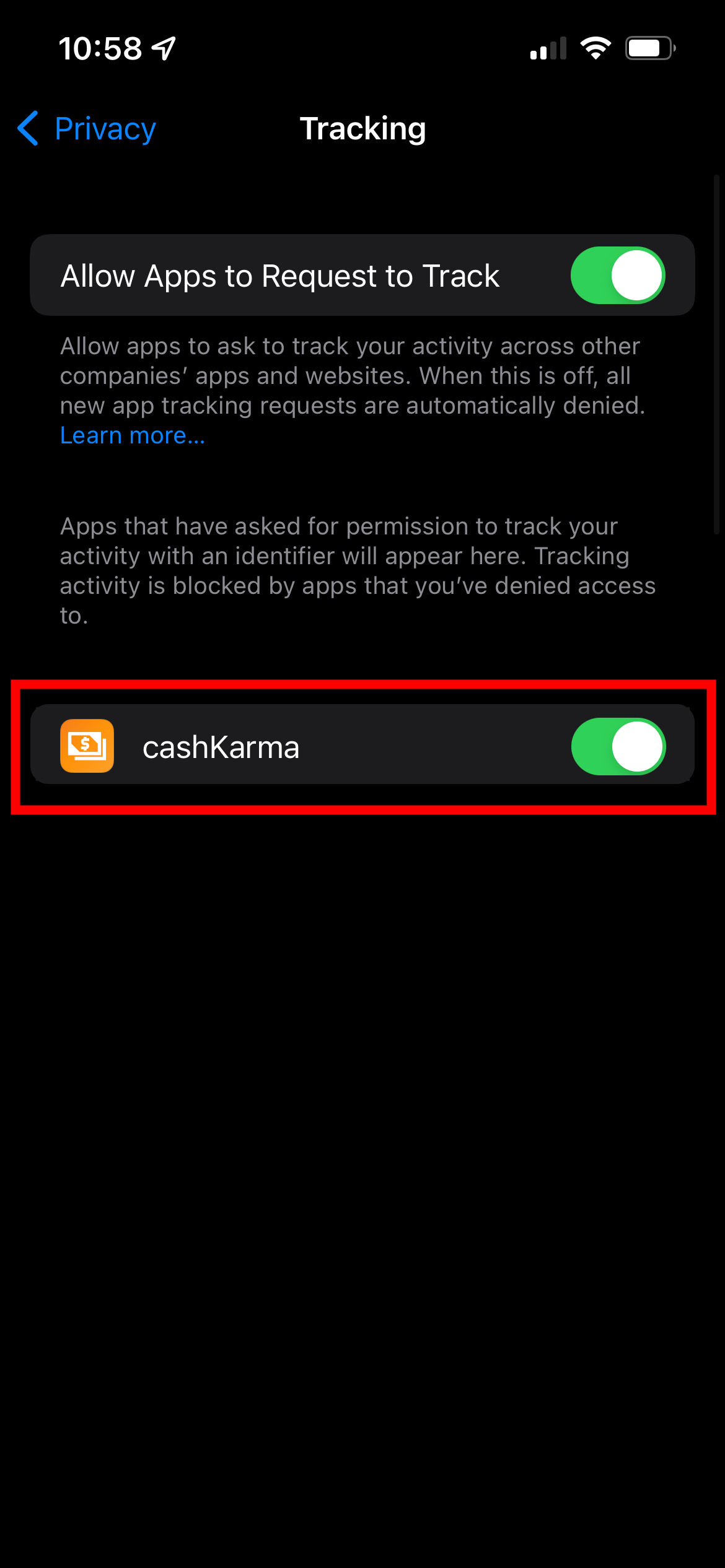
Check if tracking is turned off for CashKarma and enable by going to Settings > Privacy > Tracking and turning on CashKarma
IN APP ALERT
You may also see a prompt that directs you to the page to enable tracking.